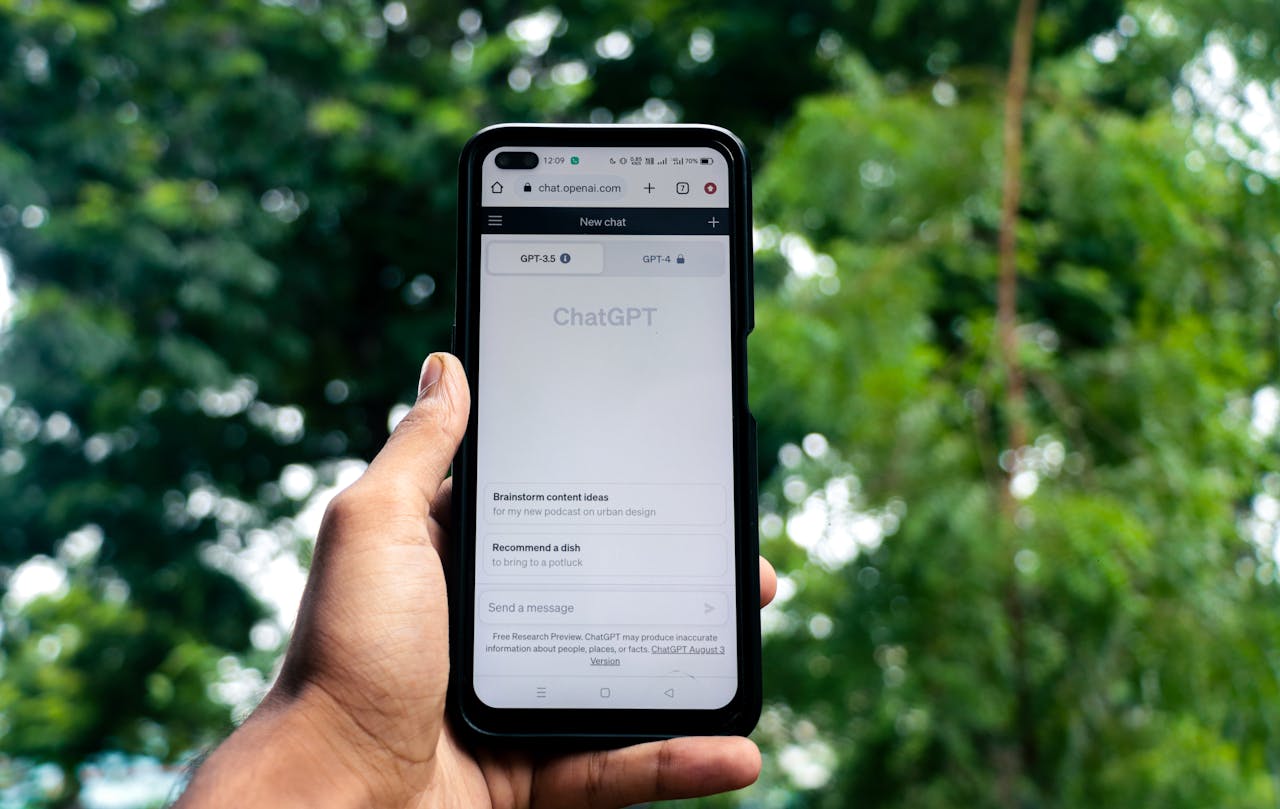
Local AI: A Quiet but Powerful Way to Cut Energy Use and Protect Our Planet
Many people hear the term “local AI” and assume it is something complicated or only for computer experts. In reality, local AI simply means running an AI model directly on your own device—like a laptop, desktop, or even a phone—instead of sending your data to giant cloud servers far away. When you use a website like ChatGPT, your request travels through the internet to large data centers that require huge amounts of electricity. Local AI flips this around. It brings the intelligence to you, allowing your device to handle the work while keeping more privacy and control in your hands.
One of the biggest reasons local AI matters today is because energy use is becoming a serious part of the bold Climate Emergency and bold Ecological Emergency. Large server farms rely heavily on electricity, and in many regions, that electricity still comes from fossil fuels. When millions of people use cloud AI at the same time, it adds pressure to systems already running hot. By learning how to run smaller, efficient AI models on personal machines, we cut down on the energy demanded by those big data centers. Even though no tool is perfect or “zero-energy,” the difference between local processing and server-level processing is huge.
Many people around the world are “up-in-arms” about the growing energy footprint of AI. Their concern isn’t wrong—AI is expanding fast, and if it grows the same way fossil-fuel technology grew, it could make environmental problems worse. But local AI offers a healthier, safer path. Instead of relying on massive server rooms cooled with loud fans and powered by non-renewable energy, local AI keeps most of the work inside your own device. When your own laptop or phone does the job, the energy demand is far lower. Even better, you can choose when, where, and how often you use it. For many tasks—writing, studying, planning, coding, learning—local AI now meets the needs of most people without relying on huge server systems.
This shift toward local tools can also be seen as a form of peaceful resistance—an intentional choice to lower personal energy use while still benefiting from modern technology. When we rely on local AI for the majority of our everyday tasks, and use cloud AI only when absolutely necessary, we send a message: we want smart tools, but not at the cost of our planet. This kind of mindful action supports bold Adaptive Resiliency, from the standpoint of both self and collective preservation, because it helps people build skills that make them more independent and more aware of how their digital habits affect the world.
Local AI also gives regular people more control. It lets us decide what stays private and what never leaves our device. This is important as misinformation, surveillance, and online risks continue to rise. Running AI locally means conversations, documents, and personal data remain under your own protection. That alone helps create a calmer, more self-aware digital environment—something we need badly during a time of confusion, fear, and worsening environmental conditions.
As more people learn what local AI is and how simple it can be, we will likely see a shift in public behavior. Families, students, activists, and even small businesses may begin choosing local tools as their default option. This won’t replace every form of AI—but it can greatly lower the amount of fossil-fuel energy the world uses for routine digital tasks. Choosing local AI is a meaningful step toward meeting the bold Climate and bold Ecological Emergency with intelligence, courage, and responsibility. It is a decision rooted in care for our future and our shared planet.
How local AI tools help us protect privacy, lower energy use, and build more control over our digital lives.
Local AI is growing fast because people want tools that are safer, faster, and more in their own hands. Running AI directly on your device—without big servers or unknown companies watching—also creates a path toward greener technology. When we choose smaller, efficient models on our computers, we cut down on waste, avoid data leaks, and build skills that help us stay independent. Below is a list of today’s strongest local AI tools and open-source models, each playing a role in this new, private, and eco-friendly chapter of AI.
Local LLM Apps & Platforms
AnythingLLM
Site: anythingllm.com
AnythingLLM is a friendly all-in-one desktop hub that lets you run many local models with almost no setup. It’s good for private conversations, research, and small team workflows. People like it because it has simple menus, fast updates, and works well even on modest computers.
Ollama
Site: ollama.com
Ollama makes running AI models as simple as typing one command. It lets you download, switch, and test models quickly without dealing with complicated settings. It’s fast, clean, and perfect for beginners and experts who want full control over their local AI.
Docker (LLM Deployment)
Site: docker.com
Docker isn’t an AI model, but it’s one of the best tools for running LLMs and servers safely on your machine. You can use it to isolate AI tools inside “containers,” keeping your system secure and letting you test many setups without breaking anything.
Jan
Site: jan.ai
Jan is designed for people who want a visual, desktop-based AI experience. It runs fully offline and works like a private, personal ChatGPT on your computer. Its clean interface makes it great for writing, research, and learning new topics in a safe environment.
LM Studio
Site: lmstudio.ai
LM Studio is a polished, powerful app that lets you explore and run many models from one place. It includes model search, testing, fine-tuning, and chat features. It’s popular because it offers strong performance while still being easy to use.
GPT4All
Site: gpt4all.io
GPT4All is one of the earliest and most trusted local AI platforms. It focuses on small, efficient models that run well on regular laptops. It’s great for learners, researchers, and people who want simple privacy without extra complexity.
LocalAI
Site: localai.io
LocalAI is a fully open-source framework that acts like a private, drop-in replacement for cloud AI services. You can integrate it with apps, servers, or your own tools without sending any data online. Developers use it to build fully local, safe AI workflows.
text-generation-webui
Site: github.com/oobabooga/text-generation-webui
This web interface lets you experiment with many different AI models all in one place. It’s a favorite for hobbyists because it offers detailed settings, custom plugins, and a large community. It’s great for people who want deep control over their AI.
OpenWebUI
Site: github.com/open-webui/open-webui
OpenWebUI is a smooth, modern interface for talking to local models. It works with tools like Ollama or backend runners and feels similar to major online chatbots—but fully private and customizable. Many people use it for daily writing and research.
Llamafile
Site: github.com/Mozilla-Ocho/llamafile
Created with support from Mozilla, Llamafile focuses on simplicity and security. It packages models into a single file so they can run anywhere without setup. It’s a strong choice for people who want private, portable AI that “just works.”
Llama.cpp
Site: github.com/ggerganov/llama.cpp
Llama.cpp is one of the most important tools in local AI. It made it possible to run powerful models on everyday computers. Known for its speed and careful design, it supports many models and is the backbone for apps like LM Studio and Ollama.
Notable Open-Source LLMs for Local Use
Llama (Meta)
Site: ai.meta.com/resources/models-and-libraries/llama-downloads
Llama is one of the most widely used open models because it’s strong, fast, and supported by many apps. It works well on local devices when optimized with tools like Llama.cpp or Ollama.
Mistral & Mixtral
Site: mistral.ai
These models are known for being lightweight but powerful. Mixtral models have strong reasoning skills and run efficiently on consumer hardware. They’re excellent for writing, planning, and problem-solving.
Qwen3
Site: huggingface.co/Qwen
Qwen3 models are versatile and perform well in many languages. They’re popular for coding, general chat, and creative tasks. Many local runners include fast Qwen builds for home use.
DeepSeek
Site: deepseek.com
DeepSeek models are optimized for reasoning, coding, and complex tasks. Even the smaller versions run well on local devices and are becoming favorites for research work.
Phi-3
Site: huggingface.co/microsoft/phi-3
Phi-3 models are extremely small but surprisingly capable. They’re designed to be energy-efficient and run smoothly on laptops without heavy hardware.
Gemma (Google)
Site: ai.google.dev/gemma
Gemma is Google’s compact open model family. It’s known for accuracy, safety features, and strong language abilities. Local users enjoy running it inside Ollama or LM Studio.
Code Llama
Site: github.com/facebookresearch/codellama
Code Llama is built for programmers. When run locally, it helps with debugging, writing code, and exploring new ideas—all without exposing private projects to online services.
StarCoder
Site: huggingface.co/bigcode/starcoder
StarCoder is trained with community contributions and produces clean code for many languages. It’s a powerful option for local coding support.
WizardCoder
Site: huggingface.co/WizardLM
WizardCoder is designed for step-by-step reasoning and coding tasks. It helps explain problems clearly and gives detailed instructions, making it a strong local assistant for learners.
Falcon
Site: falconllm.tii.ae
Falcon models are known for stability and long-context ability. They work well for summarizing large documents and long research sessions.
RWKV
Site: github.com/BlinkDL/RWKV
RWKV isn’t a typical transformer model. It uses a unique design that runs extremely fast and efficiently on local machines. It’s great for people who want performance with very low energy costs.
RedPajama
Site: together.xyz/blog/redpajama
RedPajama models are trained on carefully selected open data. They support research and privacy-focused development, and run well in many local AI tools.
Community Lists for Staying Updated
Awesome Local LLMs
Site: github.com/vince-lam/awesome-local-llms
Comprehensive Open LLM Directory
Site: github.com/eugeneyan/open-llms
These two community lists track the newest, strongest, and most stable local AI tools. They are excellent places to explore updated model options without relying on Big Tech servers.
Part III — A People-Powered Green AI Movement: Turning Local Tools Into Real-World Impact
As the world faces the worsening bold Climate and bold Ecological Emergency, one truth grows clearer every year: real change does not come only from governments or giant corporations. It comes from everyday people making steady, smart, and meaningful choices. Choosing to use local AI for most of our daily digital tasks is one of those small-but-powerful steps. When millions of people make the same responsible choice, the impact becomes enormous. Part III of this Green AI series looks at how local AI can become a true public movement—one powered by collective awareness and quiet strength.
Many people don’t realize that the biggest cost of cloud-based AI is hidden. Large companies run huge data centers that store information and process billions of requests. These buildings stay cool with massive air systems and run around the clock. In many countries, the electricity feeding them still comes from fossil fuels. Local AI breaks that link. By shifting much of the computing work back onto our own devices, we reduce the demand for those massive energy-hungry centers. Each person who switches even part of their AI use to local tools is helping lower the world’s energy footprint.
But the benefit isn’t only environmental—it’s also personal. Local AI helps people build stronger digital independence. When you use a fully offline model, you stop giving your private thoughts, files, and questions to large companies. You stop feeding the endless data pipeline. And you gain the freedom to learn, write, explore, and create without being tracked or monitored. In a time when misinformation, fear, and division are rising, digital independence supports peace of mind and emotional grounding. This is a core part of bold Adaptive Resiliency, from the standpoint of both self and collective preservation, because it keeps people steady and aware while the world becomes more unstable.
Local AI also supports fairness. Big cloud AI platforms require strong internet, modern devices, and constant online access. Not everyone has these things. But smaller offline models can run on old laptops or low-cost desktops, making advanced digital tools available to people who often get left behind. When technology becomes more equal, communities grow stronger. Students, parents, teachers, older adults, activists, and small businesses can all benefit without paying huge fees or giving away private information.
A Green AI movement doesn’t mean we must reject cloud AI completely. Some tasks will always require bigger tools—scientific research, climate modeling, medical analysis, and other heavy workloads. But most daily needs—writing notes, studying, brainstorming ideas, coding practice, journaling, and learning new topics—can easily be done with local AI. If people shift even 50% of their AI activity to local tools, the environmental win would be massive. This balance shows that resistance doesn’t have to be loud or aggressive. It can be calm, steady, and based on simple responsibility.
Local AI also inspires a new kind of creativity. Because it’s private and flexible, people feel more comfortable experimenting, failing, exploring unpopular ideas, and learning at their own pace. These small acts of creativity matter more than they seem. Innovation has always grown from common people who were free to think without fear. In fact, a small fictional quote from a future climate historian might say: “Humanity became wiser the moment it chose smaller tools with bigger purpose.” This spirit captures the potential we have today—a chance to guide technology toward life instead of harm.
Finally, a Green AI movement helps bring back something we’ve slowly lost: a feeling that we still have power over our own future. When the emergencies around us feel heavy—storms, fires, pollution, political tension—it’s easy to feel small. But using local AI lets us take action in a way that is practical, calm, and good for the planet. It shows that technology does not have to be destructive. With intention and care, it can become a tool for healing, understanding, and long-term stability.
Part 1 was posted to my personal site some time ago.
Mr. Alvarez, Climate Change Community Content Curator